
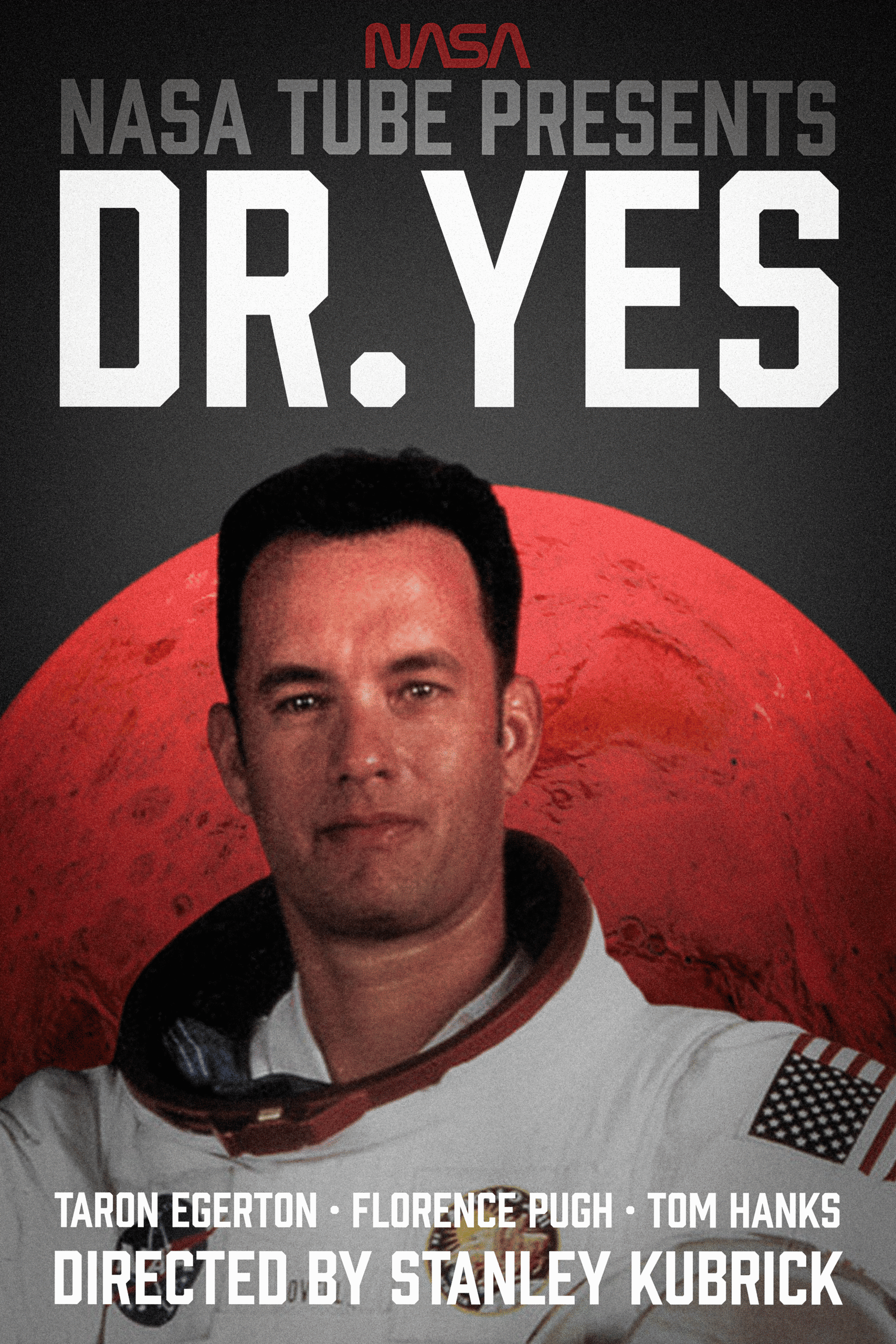
For this assignment, I built a movie poster and matching thumbnail in Photoshop. I started by setting up the big file and organizing everything into folders so I didn’t lose my mind. For the background, I made a dark gradient and then created a star field using noise and levels until it looked decent. I also took a photo of a random texture and blended it into the background so it had a little more depth instead of just being flat black. I brought in the NASA worm logo as an SVG so it stayed crisp, and added a red overlay to match the classic NASA look. For the main subject, I used the Select Subject tool and cleaned the edges in Select and Mask, then played around with some blur and lighting to get that dramatic, slightly weird Kubrick vibe. I kept the type really simple clean, spaced out, and retro. Once the poster was done, I made a wide version for the thumbnail by tightening the crop, making the title bigger, and adjusting the contrast so it still reads when it’s tiny
Leave a private review
Use this form to submit a private rating of this material. A notification will be sent to the instructor and may impact scoring. You can use the post comments below for a public comment.